A city journey can break down over small problems: a low phone battery, an unclear transit update, or a confusing choice of routes. Public technology works best when it solves these needs in sequence, from a smart bench with USB charging or connected smart solar bench to smart digital wayfinding signage that helps people find the next step.
As journeys become more complex, outdoor smart wayfinding displays and AI digital wayfinding can add real-time, interactive guidance. The key is knowing which level of technology fits each public touchpoint—and when a simpler solution is enough.
The First Need Is Simple: A Place to Stop and Recharge
Rest comes before digital interaction
The first useful service may be the least complicated one. Someone who has been walking through a park, transit area, campus, or commercial district may simply want to sit down for a few minutes. At that moment, an interactive screen is not the priority. A comfortable public seat already solves the main problem.
Adding useful functions does not have to change that basic experience. A smart bench with USB charging works because people understand it without learning a new system. They can sit, connect a phone, and continue with what they were already doing. The technology stays in the background while the bench keeps its main role as public furniture.
That matters because smart-city projects can easily become feature-led instead of need-led. A bench does not become more useful just because it has more electronics. Its added functions should support the short pause that brought the person there in the first place.
Charging turns a short stop into a useful pause
Phone power can matter more as the trip continues. A traveler may need the device for a digital ticket, route map, payment, message, or transport update. Giving people a place to recharge can therefore support later parts of the journey without forcing them to leave the public space.
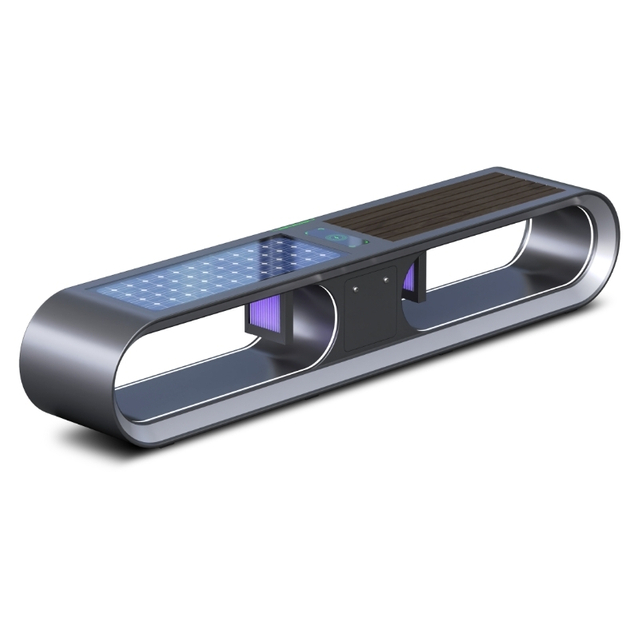
Shanghai ZEMSO's ZEMSO-ZY-0002 combines solar power, three USB ports, lighting, and optional Wi-Fi or 4G connectivity. Optional remote monitoring can also help operators track energy use and device status.
A connected smart solar bench can take that idea one step further. ZEMSO-ZY-0006 combines an 80W solar panel with wired USB and Type-C charging and a wireless charging point. Connectivity can also support remote equipment monitoring and management. For the person on the street, however, the experience should remain simple: sit, charge, and move on.
During the Wait, Current Information Matters More Than More Features
Answer the questions created by waiting
After resting or charging, the user's need may change. Imagine that the same person is now waiting near a transport stop or public square. The most useful questions become time-sensitive: When is the next service? Has the route changed? Is the normal entrance still open? Is there a temporary notice that affects the trip?
This is where a digital display can add more value than a printed notice. Static information works well when the message stays the same. A changing service schedule, closure, public alert, or event update needs a format that can be refreshed without replacing a physical sign.
The goal is not to create another screen people must explore. At this point in the journey, the information may still be one-way. People want a quick answer that helps them decide whether to keep waiting, move to another stop, or change direction.
When the User Starts Searching, the Display Needs to Respond
Different people at the same place need different answers
Consider a busy station exit or civic plaza. One visitor wants a restroom. Another needs a step-free path. Someone else is looking for a government office, bus connection, park entrance, or nearby destination. A single fixed message cannot answer all of these questions well.
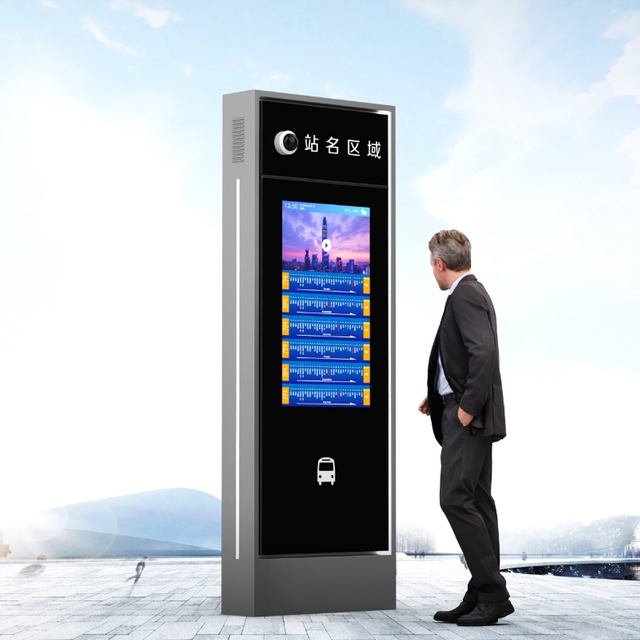
This is where smart digital wayfinding signage becomes useful. Instead of trying to place every destination on one crowded map, an interactive display can let people search for the information that matters to them. The interface might show a destination list, current notices, nearby services, and a simple route preview.
Good interaction should still feel easy. Clear labels, readable type, large controls, and a small number of choices are often more helpful than deep menus. The user should be able to arrive at a screen with no training and understand what to do next.
Make interaction faster, not more complicated
A public touchscreen should reduce the time spent searching. It should not feel like a website moved onto the sidewalk. The first screen can focus on a few common actions, while less common information stays one or two steps away.
Shanghai Zemso Urban Furniture Technology Co., Ltd. illustrates this level of service with the ZEMSO-BS-0002. The unit combines a 32-inch touchscreen with interactive route guidance and real-time service information. It also supports route planning, remote management, system updates, and integration with other information systems.
Those functions are useful here because they support several questions at one public touchpoint. That does not mean every site needs all of them. A park entrance may need only a searchable map, while a transport interchange may benefit from live information and route planning on the same screen.
Accessibility should shape the interaction from the start
Interaction also needs to work for more than one type of user. A display may be difficult to use if controls are too high, touch targets are too small, text is hard to read, or every function depends on precise touchscreen input. Accessible interactive equipment should provide suitable reach ranges, usable controls, readable displays, and enough space for different users to approach and operate the screen.
Digital content also benefits from clear contrast, readable text, and controls that are easy to identify and operate. These principles matter on public kiosks just as much as they do on other digital interfaces.
For a city user, the test is simple. Smart digital wayfinding signage is only smart if a first-time visitor can understand it quickly and use it with reasonable ease.
At a Route Decision, Good Wayfinding Tells People What to Do Next
Turn Route Information Into a Clear Next Step
Finding a destination is only part of wayfinding. The person still has to leave the display and start walking. A useful system should therefore move through a simple sequence: find the destination → see the relevant route → understand the first step → start moving.
A large digital map can fail if it shows too much at once. Users rarely need every building, road layer, service point, and transport option on the same screen. They need the information that supports the decision in front of them.
Route choices can also differ. One person may want the shortest walking path, while another needs step-free access. A temporary closure may block the normal entrance. An event may change which path visitors should use. In those situations, an outdoor smart wayfinding display can do more than a permanent arrow because the guidance can respond to current route information.
Put outdoor displays where people actually make choices
A wayfinding screen should be close to the moment of uncertainty. Entrances, station exits, intersections, transfer points, and locations where several paths split are stronger candidates than spaces where the direction is already obvious. The physical placement becomes part of the guidance.
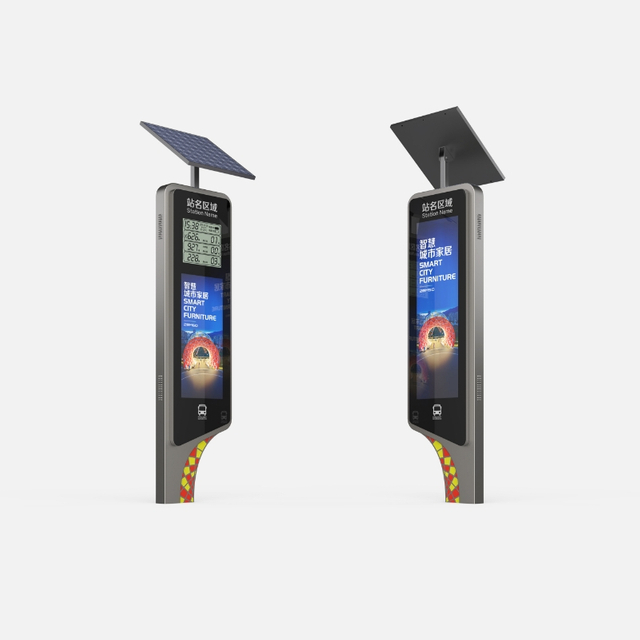
ZEMSO-GG-0009 provides one example of equipment designed for this type of outdoor setting. It uses a galvanized-steel structure and supports interactive modules, route planning, remote software upgrades, and integration with other systems. The value of those features depends on placing the unit where a person actually needs to choose a direction.
Outdoor use also makes basic reliability important. An advanced interface has little value if people cannot see it clearly or depend on it when they reach the decision point. For project teams, this means thinking about the display and the surrounding path as one experience rather than treating the screen as an isolated device.
The route should still make sense after the screen is behind you
The next challenge starts as soon as the user walks away. A route may look clear on the screen and become confusing fifty meters later when a path divides. Good wayfinding therefore needs confirmation along the journey.
Destination names, arrows, landmarks, and route labels should stay consistent. If the display calls a location “North Entrance,” the next physical sign should not suddenly call it “Gate N” unless users can clearly understand that they are the same place. Small differences in naming can create doubt at exactly the wrong moment.
Some systems can also let a route continue on a user's phone, but mobile guidance should support rather than replace the physical environment. People should still be able to look up and know they are moving the right way. A strong outdoor smart wayfinding display starts the route; the surrounding signs and landmarks help the person finish it.
AI Helps When “The Right Route” Can Change
Use AI for questions that cannot be answered with one fixed arrow
Many navigation questions have one stable answer. “Where is Exit A?” may only need a clear sign. Other questions depend on current conditions or on what a specific person needs.
Someone may ask, “Which entrance is open now?” Another person may need a route without stairs. A visitor could want another path around a closure, while a commuter may be trying to avoid a crowded area. These are stronger use cases for AI digital wayfinding because the answer may have to combine a user request with changing information.
The useful part is not AI for its own sake. It is the ability to turn several pieces of information into a clearer next action. When route data is current, a more adaptive system can help users choose between available options instead of forcing them to work out the answer themselves.
AI should still stay within the task. Here, its role is helping people find information and move through the city. Detailed explanations of models, computing methods, or data architecture do not improve the pedestrian's journey.
Conversation can remove some of the work from searching
Menus work well when users know exactly what category to choose. Real questions are often less tidy. A visitor may not know the official name of a building or whether the destination belongs under “Services,” “Transport,” or another menu.
Voice and natural-language interaction can reduce that search work. A person can describe the need in familiar words, while the system returns a useful destination or route. This can make AI digital wayfinding feel less like operating a machine and more like asking for directions.
Shanghai ZEMSO's ZEMSO-BS-0005 is a practical example of this higher level of interaction. It combines intelligent path planning, touchscreen and voice input, text-to-speech, passenger-flow analysis, AI-supported Q&A, centralized content management, and real-time wayfinding.
Choose the lowest level of technology that solves the problem
The most advanced option is not automatically the right option. Project teams can start with the question people face at each location and choose technology from there.
Public moment
User question
Usually enough
Rest point
“Can I sit and charge?”
Smart charging bench
Waiting area
“What is happening now?”
Live information display
Entrance or plaza
“Where can I find this?”
Interactive digital signage
Route decision
“How do I get there?”
Digital wayfinding
Changing or complex journey
“Which route makes sense for me now?”
AI-assisted wayfinding
This approach also keeps management practical. A connected smart solar bench, interactive kiosk, or AI-enabled display creates different needs for content, maintenance, power, and system oversight. Adding complexity makes sense when it removes a real point of confusion or effort for the public.
The same rule helps prevent technology from becoming visual clutter. A permanent directional sign can still be the right answer for a permanent route. Live information earns its place when the information changes. Smart digital wayfinding signage becomes valuable when users need to search, while AI is better reserved for questions that depend on context.
Conclusion
Smart public spaces work better when technology matches the user’s next need. A smart bench with USB charging or connected smart solar bench can support rest and device power, while smart digital wayfinding signage helps people find information and make clearer route decisions. AI digital wayfinding adds value when routes must respond to changing conditions or different user needs.
Shanghai Zemso Urban Furniture Technology Co., Ltd. brings these functions together across smart seating and outdoor wayfinding products, giving planners practical options for improving public journeys without adding unnecessary complexity.